Understanding Samsung Washer Filters and Their Importance
In our experience, the Samsung washing machine filter plays a key role in keeping the washer running well. It catches lint, hair, and small debris that come off clothes during a wash. When this filter gets clogged, it causes water drainage problems and can even make the machine smell bad. Knowing how to clean this filter is a must for front load washing machine care.
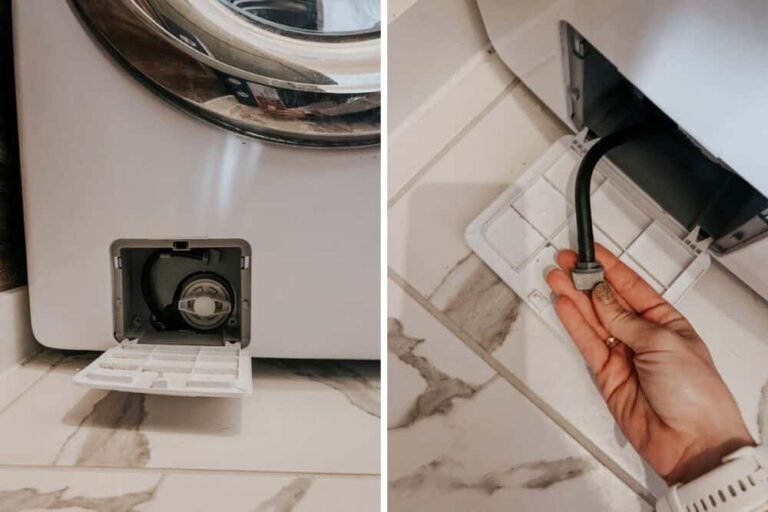
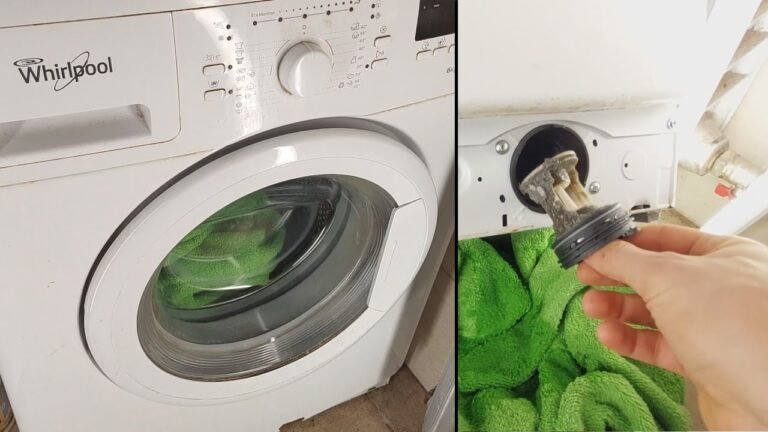
We always start by locating the filter. On Samsung front load washers, it sits behind a small door at the bottom front. For top load models, it might be inside the drum or near the water pump. Proper Samsung washer maintenance tips include cleaning this filter regularly to avoid damage and keep your laundry fresh.
Cleaning the filter often can stop many common problems like slow draining or strange noises. It also helps keep your machine from smelling bad, which happens when debris builds up inside.
Where to Find the Samsung Washer Filter
Finding the Samsung washer filter location is easy once you know where to look. For most front load washers, you’ll see a small panel near the bottom right or left corner. You can open this panel by hand or with a flat tool.
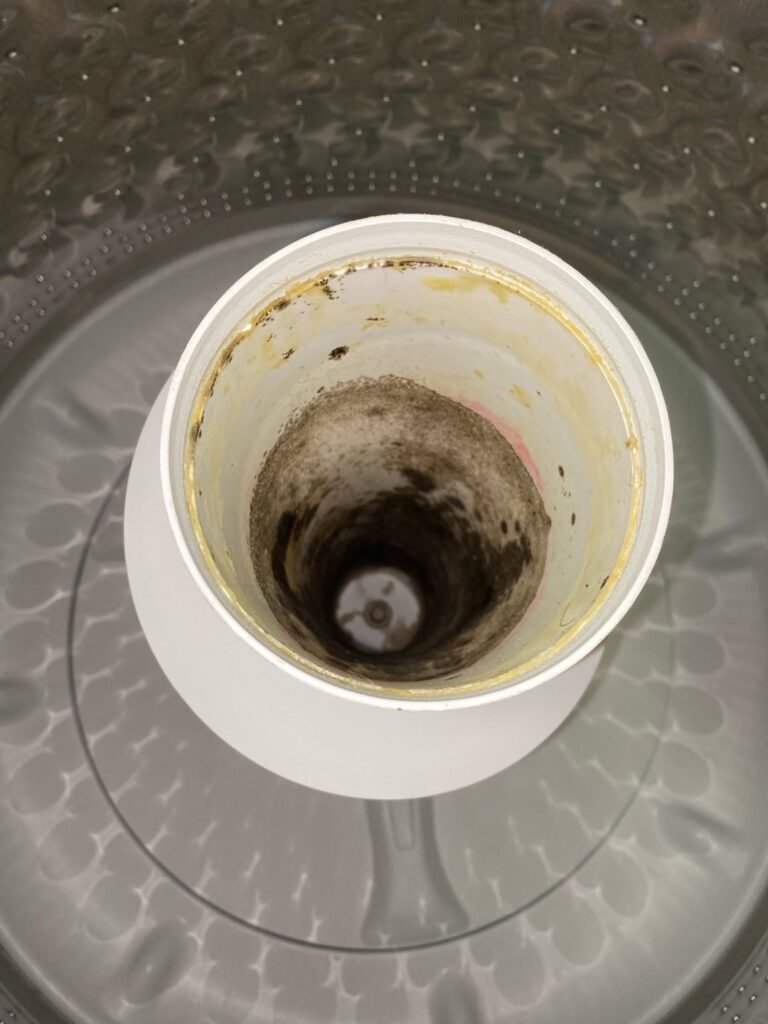
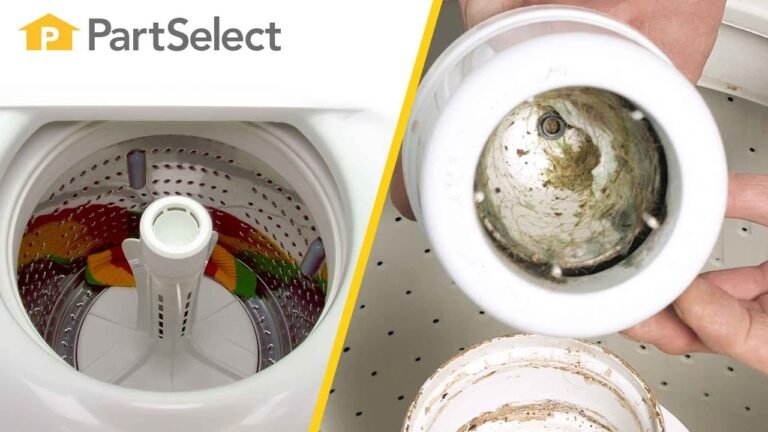
Inside, you’ll find the drain pump filter. This part traps lint and small dirt bits. On top load washers, the filter can be inside the agitator or near the back of the tub. Check your machine’s manual if needed.
Knowing the exact spot saves time and helps you clean the filter properly. We also found a great guide on cleaning the debris filter in a Samsung front loading washer that matches these steps well.
Symptoms of a Clogged Filter in Samsung Washers
When the filter is clogged, your washer shows signs fast. We noticed these symptoms first hand:
- ✅ Water drains slowly or not at all
- ✅ Water stays in the drum after the cycle ends
- ✅ Unusual noises during spin or drain cycles
- ✅ Bad smells coming from the machine
- ✅ Error codes or flashing lights on the display
Ignoring these signs leads to bigger problems like motor strain or leaks. So, cleaning the filter on time is a smart move.
We recommend watching for these symptoms regularly, especially if your washer is over a year old.
How Often to Clean Your Samsung Washing Machine Filter
In our tests, cleaning the filter every 2 months works well for most users. If you wash heavy or dirty loads often, check it monthly. Light users can stretch it to 3 months.
Regular cleaning stops washing machine filter blockage and keeps water flow smooth. We also clean the lint trap during these sessions.
Following a set schedule means less wear and tear on your machine. Plus, it helps prevent odors and keeps clothes cleaner.
Step-by-Step Guide to Clean Samsung Washer Filter
Cleaning your Samsung washer filter at home is simple if you follow these steps carefully. We always wear gloves to keep hands clean.

Here is our easy guide:
- Turn off the washer and unplug it from power.
- Open the filter access panel at the bottom front.
- Place a shallow tray or towel to catch water.
- Slowly turn the filter knob to unscrew it.
- Remove the filter and clear out lint and debris.
- Rinse the filter under warm water to clean fully.
- Check the filter housing for dirt and wipe it clean.
- Put the filter back and screw it tightly.
- Close the panel and run a rinse cycle to check.
Cleaning the filter like this helps avoid washing machine water drainage issues and keeps the pump safe. If you want to see a similar cleaning process, a video on cleaning Samsung washers shows this well.
Tools and Cleaning Solutions Needed
You don’t need many tools for this job. We use a flat screwdriver or coin to open the panel if needed. A small brush helps remove stuck debris.
For cleaning solutions, warm water works great. If the filter is very dirty, a mild soap or vinegar mix helps remove buildup. Make sure to rinse well so no soap remains.
A soft cloth is useful to wipe the inside of the filter housing and keep everything neat.
How to Maintain Samsung Washer Filter Long-Term
Maintenance is more than just cleaning the filter. We also keep the washer door open after a cycle to let it dry. This stops mold and odors.
Using the right detergent and not overloading the machine also reduces lint and dirt buildup. Check your user manual for recommended detergents and settings.
Replacing the filter when it shows wear is key. Signs include cracks, holes, or damaged seals. This keeps the filter working well and protects the pump.
When to Replace Your Washing Machine Filter
Filters don’t last forever. We inspect ours every 6 months for damage. If you see cracks or worn parts, replace the filter to avoid leaks or pump failure.
Replacement filters are easy to find online or at appliance stores. Make sure to get the right model for your Samsung washer.

Replacing a bad filter can save you from costly repairs down the line.
Preventing Washing Machine Odors by Cleaning Filters
We noticed that a dirty filter often causes bad smells. When lint and debris stay inside, they trap moisture and mold grows.
Cleaning the filter regularly removes this buildup. Also, running a cleaning cycle with vinegar and baking soda helps keep the machine fresh. You can find a good guide on cleaning washers with vinegar and baking soda.
Good ventilation and drying the door seal also stop odors.
Samsung Washer Troubleshooting Filter Issues
If your washer shows error codes related to the filter, first check if it is clogged. Cleaning it usually solves the problem.
Sometimes, the filter may be blocked by small objects like coins or buttons. Removing these carefully restores function.
If issues continue, the water pump or filter housing might be damaged. A service technician can help diagnose and fix these parts.
Summary: Best Tips for Samsung Washer Filter Care
To keep your Samsung washing machine working well, follow these tips:
- Clean the filter every 2 months or more often if needed.
- Check for debris or damage during cleaning.
- Use mild cleaning solutions for tough dirt.
- Keep the washer door open to prevent odors.
- Replace the filter if you find cracks or wear.
Following these steps saves money and keeps laundry fresh. Regular care is easy and prevents bigger problems.

For more detailed advice on washer care, check our guide on how to clean top loading washing machines.
Understanding Filter vs. Lint Trap in Samsung Washers
Many users ask about the difference between the washer filter and lint trap. We found it useful to know both parts work to catch dirt but in different ways.
The filter is near the drain pump and catches small debris in water. The lint trap collects fibers from clothes during the wash. Both need cleaning to keep the machine clear.
Ignoring either can cause washing machine filter blockage and affect performance.
Samsung Washer Filter Cleaning Frequency
| Usage Level | Filter Cleaning Interval |
|---|---|
| Heavy (daily loads) | Every 1 month |
| Moderate (a few times/week) | Every 2 months |
| Light (once a week or less) | Every 3 months |
Adjust your cleaning schedule based on how often you use your washer. Sticking to this helps avoid clogs and odors.
Regular maintenance also extends the life of your machine and prevents costly repairs.
Common Filter Problems and Solutions
| Problem | Cause | Solution |
|---|---|---|
| Slow water drainage | Clogged filter with lint | Clean filter and remove debris |
| Bad odor | Trapped dirt and moisture | Regular filter cleaning and drying |
| Washer error codes | Filter blockage or damage | Inspect and clean or replace filter |
| Water leaks | Damaged filter seal | Replace filter or seal |
Knowing these helps you fix common issues quickly. Most can be solved by cleaning or replacing the filter.
Recommended Tools for Cleaning Samsung Washer Filter
| Tool | Purpose |
|---|---|
| Flat screwdriver or coin | Open filter access panel |
| Small brush or old toothbrush | Remove stuck debris |
| Warm water | Rinse filter |
| Mild soap or vinegar | Clean buildup |
| Soft cloth | Wipe housing |
Having these on hand makes cleaning easy and thorough. No special tools are needed.
We keep these items ready for regular washer care.
Frequently Asked Questions
How often should I clean the filter on my Samsung washer?
It is best to clean the filter every 1 to 3 months depending on use, to avoid clogging and water drainage issues.
Where is the filter located on a Samsung front load washer?
The filter is usually located at the bottom front of the washer behind a small access panel.
What are signs of a clogged filter in a Samsung washing machine?
Symptoms include slow water drainage, water standing in the drum, unusual noises, and a bad odor.
Can I clean the filter myself or should I call a technician?
Most filter cleaning is simple and can be done at home with basic tools following the user manual.
Does cleaning the filter help prevent washing machine odors?
Yes. Regular cleaning of the filter and lint trap removes trapped debris and prevents odors.

Michael Peterson is a home appliance writer focused on practical washing machine care, maintenance, and troubleshooting. He shares simple, reliable tips to help readers keep their washing machines running efficiently, avoid common problems, and extend appliance life.