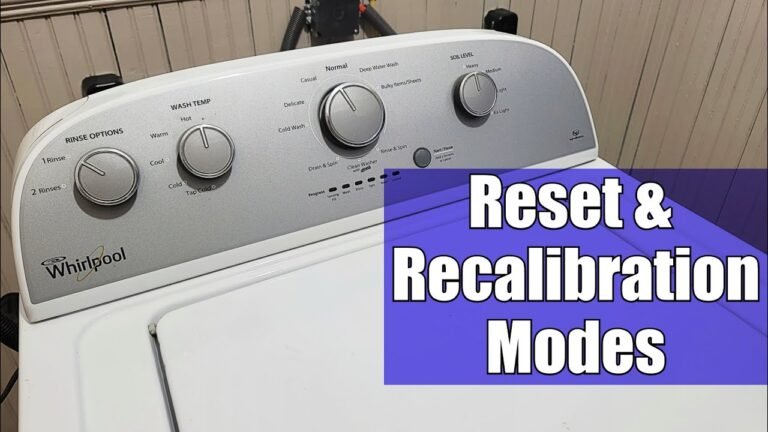
Introduction to Resetting GE Washer Machines
GE washers are popular for their reliability. But sometimes, these washers show error codes or stop working. Learning the reset procedure can help you solve many problems fast. This article covers how to reset GE washer machine control panels and fix issues like locked lids and drain problems. For a detailed look at clearing error codes, the resource on resetting the electronic controls on GE washers is excellent.
Understanding how to reset your washer saves time and avoids costly repairs. We will also link to related topics like how to restart a washer cycle and how to clean your washing machine effectively.
Basic GE Washer Reset Procedure
The most common reset method for GE washers is a power cycle. This resets the machine’s electronic controls and clears many error codes. To do this, unplug the washer from the power outlet. Wait for about one minute. Then plug it back in. This helps the washer reboot safely.
If your washer has a dedicated reset button, hold it down for 3 to 5 seconds. This button is often near the control panel. Pressing it clears simple faults and resets the control lock. If you face a locked lid, this method can help as well.
Remember, not all models have a reset button. In those cases, the power cycle reset is your best option. Some models also allow a manual reset by holding certain buttons. Check your user manual for details.
Resetting Error Codes on GE Washer
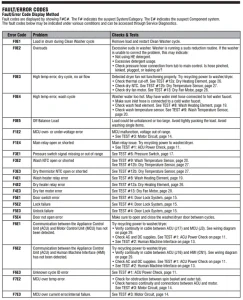
Error codes appear when the washer detects a fault. These codes flash on the control panel lights. To clear these, a reset is often needed. The power cycle reset helps clear many error codes by rebooting the system.
If the error returns after a reset, the issue may need repair. Common error causes include motor problems, door lock errors, or drain pump failures. For example, if you see a door lock sensor error, try resetting the washer after a door lock error by unplugging and plugging it back in.
Here is a quick checklist to reset error codes:

✅ Plug it back in.
✅ Press the Start button to restart.
✅ Observe if error code returns.
✅ Consult user manual or service if persistent.
Resetting a Locked GE Washing Machine
A locked washer lid can stop your laundry. GE washers have a door lock sensor to keep the lid safe during cycles. If the control lock is on, the washer won’t start or open.
To reset the control lock on your GE washer, press and hold the Control Lock button for about 3 seconds. This disables the lock and allows the lid to open. If the lid remains locked, power cycle reset the machine. If it still won’t unlock, the door lock sensor may be faulty.
In some cases, waiting a few minutes after the cycle ends also helps the lid unlock. Avoid forcing the lid open, as it can damage the lock.
Reset GE Washer Timer and Motor
Sometimes the washer timer or motor may need a reset to fix issues like failure to spin or agitate. A power cycle reset is usually the first step. Unplug the washer, wait, and plug it back in.
For motor resets, some models require holding specific buttons to reset the motor control board. This is a type of hard reset for the GE washer machine. If the motor still fails, the motor or control board may need professional service.
Always ensure the washer is unplugged before attempting motor resets. This is safer and prevents electric shocks.
Dealing with GE Washer Draining Issue Reset
Drain issues are common in washers. If the GE washer won’t drain, it may show an error or stop mid-cycle. Resetting the washer can help clear this problem.

Start by unplugging the washer for a minute. Check the drain pump and hose for blockages. After clearing any clogs, plug the washer back in and restart the cycle. This GE washer draining issue reset can clear electronic faults related to drainage.
Sometimes, the drain pump or motor may need replacement if the problem persists.
Manual and Factory Reset for GE Washing Machine
Some advanced GE washers support a factory reset. This wipes settings and returns the machine to default. Use this only if other resets fail.
To do a manual factory reset, follow these steps:
- Unplug the washer.
- Press and hold the Start/Pause button.
- Plug the washer back in while holding the button.
- Release the button after 5 seconds.
- Wait for the machine to reboot.
This reset clears custom settings and error codes. It is a last resort option if normal resets don’t work.
Comparison of GE Washer Reset Methods
Different reset methods suit different problems. The table below compares the main reset options:
| Reset Type | When to Use | Steps | Effect |
|---|---|---|---|
| Power Cycle Reset | Error codes, control lock, power outage | Unplug 1 min, plug in, restart | Reboots control board, clears errors |
| Reset Button | Simple error codes, control lock | Press and hold button 3-5 sec | Clears minor faults and lock |
| Factory Reset | Persistent errors, settings reset | Unplug, hold Start/Pause, plug in, release | Resets to factory settings |
Choose the reset method based on your washer’s issue. Start with power cycle for most cases.
Step-by-Step GE Washer Reset Guide
Here is a clear guide to reset your GE washer safely:

- Turn off the washer and unplug it from the outlet.
- Wait at least 60 seconds to allow the machine to clear memory.
- If your model has a reset button, press and hold it for 3-5 seconds.
- Plug the washer back in.
- Press the Start button to restart the cycle.
- Check if the error lights or codes are gone.
- If issues persist, try the factory reset or consult a technician.
Following these steps helps avoid damage and keeps your washer working well.
Expert Tips for Maintaining Your GE Washer
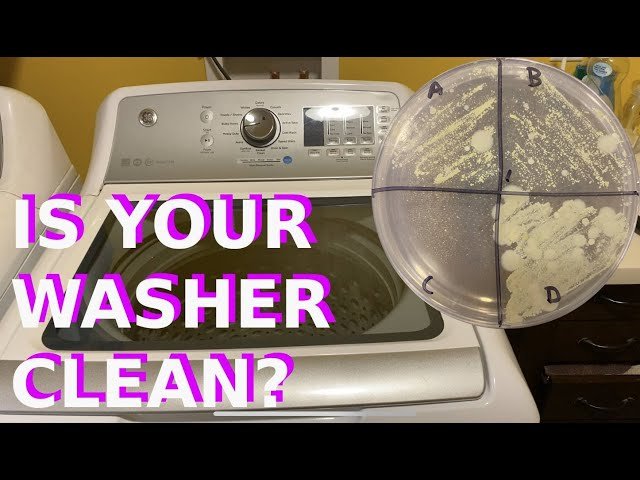
Resetting fixes many problems, but regular care prevents issues. Clean your washer monthly to avoid build-up. Use the right detergent amount and avoid overloading.
Also, learn how to clean your GE washing machine top loader to keep it fresh. This extends the washer’s life and reduces errors. Knowing how to restart the washer cycle properly helps avoid stuck cycles.
For more tips on washer care and cleaning tricks, check out the guide on cleaning GE top-loading washing machines.
Conclusion
Resetting your GE washer machine is simple and solves many common problems. The power cycle reset is best for most faults. Use the reset button or factory reset for stubborn issues. Always follow safety steps like unplugging first. If errors keep showing, professional service may be needed.
Understanding how to reset GE washers helps you save time and money. Keep your washer clean and maintained for best results. For more on washer use, see the article about how to restart a washer machine. Remember, proper care and timely resets keep your laundry running smooth.
For a deeper understanding of this mechanic, analyzing resources on resetting the electronic controls on GE washers provides excellent foundational context.
Frequently Asked Questions
How do I restart a GE washer cycle?
To restart a GE washer cycle, press the Start/Pause button. If needed, reset the control panel by unplugging the washer for a minute before plugging it back in.
What is the reset button on a GE washing machine?
Some GE washers have a reset button to clear error codes. If your model has it, press and hold the button for a few seconds to reset the machine.
How can I reset a GE washer after a power outage?
Unplug the washer for at least one minute after a power outage, then plug it back in. This power cycle reset helps clear errors caused by sudden power loss.
What should I do if the GE washer lid switch is locked?
Try the GE washer control lock reset process by holding the Control Lock button for 3 seconds. If the lid remains locked, check the door lock sensor for faults.
How to reset error codes on a GE washer?
Unplug the washer for a minute to reset electronic controls. If errors persist, refer to the user manual for specific fault diagnosis or contact service.

Michael Peterson is a home appliance writer focused on practical washing machine care, maintenance, and troubleshooting. He shares simple, reliable tips to help readers keep their washing machines running efficiently, avoid common problems, and extend appliance life.